小红书全自动化运营发布
让云端 AI 智能助手替你运营小红书
Auto-xhs 是一套开源系统:你把自己的小红书号,在智能助手自己的浏览器里登录一次,剩下的事它全包——每天自己搜资讯、整合成稿、做成视频、发出去、跟评论。
能干这活的助手有三家:Muse、Dots(OpenAI 的)、Grok Bot(xAI 的)。三个都是云端 agent,各有自己的一台云端电脑和浏览器。全程在浏览器里像人一样点、一样打字,不用任何非官方接口,发帖频率也是正常人的频率。
它是干什么的
做小红书最耗时间的,是搜资讯、整理、做视频、发布、回评论这一整条链。这个项目把这一条龙全自动了。有个总管负责派活和验收,干活的一个一个来,上一步验收过了才做下一步:
- 选题:把信源扫一遍,在 48 小时内的新东西里挑一个,跟昨天品类错开。先过敏感清单,沾上的直接不要。
- 写稿:标题先写 3 版选一个。口播稿 480 到 650 字,价格这类数字要算全,还要跟同类比一比。
- 做片:按稿子做网页、配音、逐帧截图、合成。
- 验收:跑验收脚本,字数、时长、分辨率、静音、封面、期号,一项一项查。不过就打回重做。
- 发布:在浏览器里像人一样发出去,话题点成蓝色的,该选的声明选上。发完马上发第一条评论。
- 跟进和复盘:发后 2 小时内每半小时看一眼新评论,有就回。每周复盘一次,把学到的写回规矩里。
你要做的只有三件:选个方向、扫一次码、(用半自动的话)发布前看一眼。
视频是怎么做出来的
视频是拿网页做的。每条视频先写成一个网页:HTML 和 CSS 排版面,GSAP 排动画,好看的动效都放在一个现成的动效库里,写稿时直接调。然后用浏览器把动画停住,一帧一帧截图,一秒 30 张。最后用 ffmpeg 把图串成视频,合上配音,加到 1.5 倍速。
好处是:网页排版做卡片、图表、价格对比又快又好看,改一个数字不用重剪视频;逐帧截图,动画在第几秒什么样是定死的,不会这次跑一个样、下次跑一个样。
三家助手,差别先说清
规矩、验收标准、待发包的格式,三家用的都是同一份。差别只在两处:发布那一下先问不问你、你现在能不能用上。Muse 这条已经有号在日更,实测过;Dots 和 Grok Bot 是按官方口径写的,还没实测。
| 能力 | Muse | Dots | Grok Bot |
|---|---|---|---|
| 搜资讯、写稿 | 能 | 能 | 能 |
| 做视频 | 能 | 能,在它自己的云端电脑里跑 | 能,在云端虚拟机里跑 |
| 每天定时自己开工 | 能 | 能,自带定时 | 未确认,没有就靠系统定时或手动 |
| 在浏览器里自动发布 | 能 | 能,先问还是放行看你定的规则 | 能,但发布前默认先停住等你批准 |
| 发后回评论 | 能 | 能,靠定时 | 手动,或看它有没有定时 |
自动化分三档,你自己选
全自动
它全包,连点发布都自己来,你什么都不用管。
半自动 推荐先用这档
它把视频、封面、文案备成一个待发包,你看一眼、点一下发布。
手动
它只帮你选题和写稿,视频和发布你自己来。
设置的时候会先让你自己选,并把三档区别讲清。推荐先用半自动,但不会替你定。
关键事实
- 免费,MIT 开源:做视频的库、合成工具、配音,全是免费的;项目不接任何付费接口。
- 三家云端助手任选:Muse、Dots、Grok Bot,各有自己的云端电脑和浏览器;Muse 是实测在跑的那条。
- 默认竖版 1080×1920,设置里可选横版 1920×1080,选一次后面都按这个出。
- 网页做片:HTML/CSS + GSAP 动效,浏览器逐帧截图,ffmpeg 合成。
- 发布前先验收:字数、时长、分辨率、静音、封面、期号,六项全过才许发。
- 装起来不用看文档:把仓库里那段现成的话复制给你的智能助手,它自己装好,再带你一项一项设置。
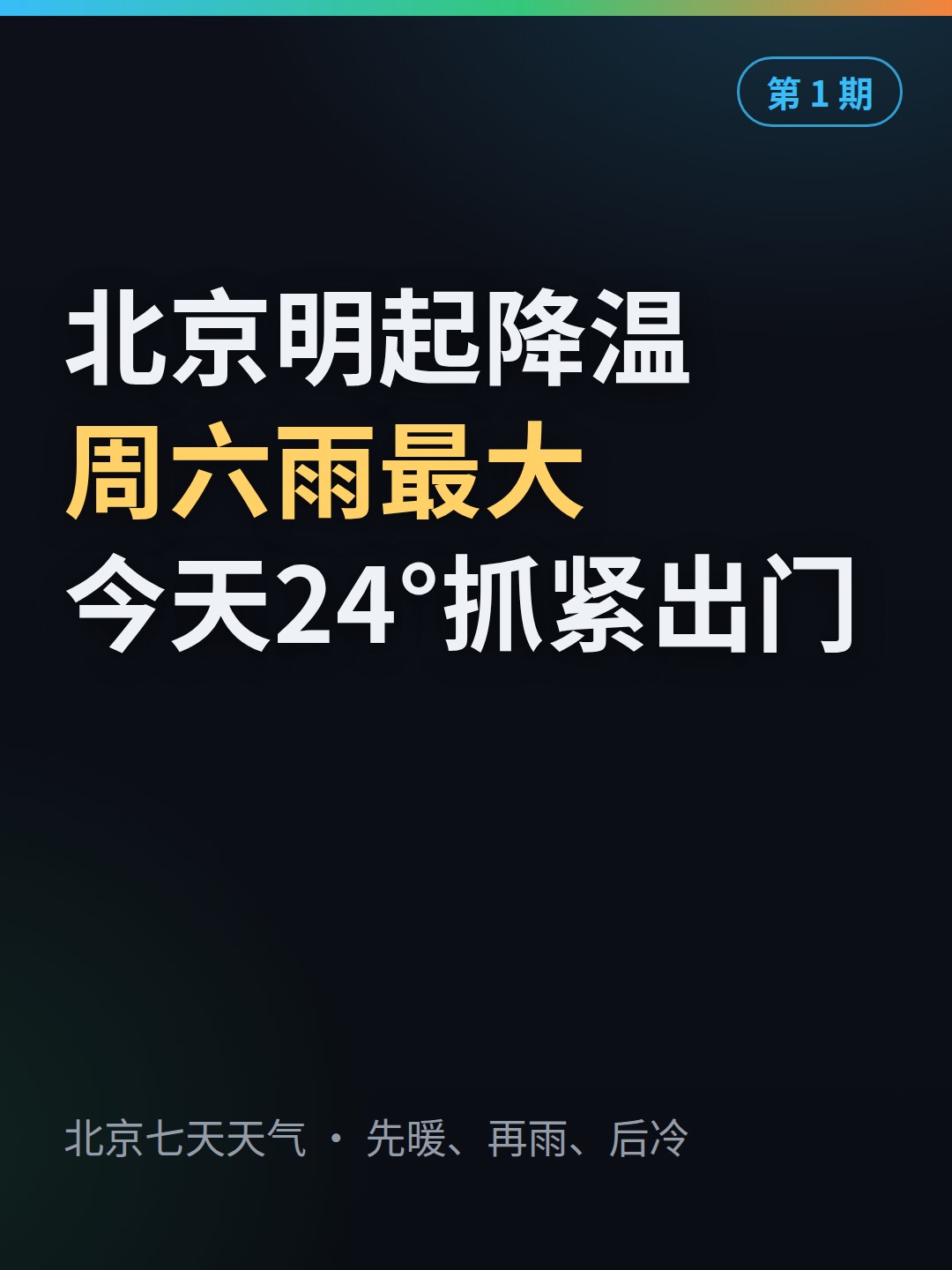
现成的例子:天气预报
欢迎加新用途,也欢迎搬去别的平台
这套东西不只能发科技资讯。搜资讯、整合、做视频、发布、运营这条链是通用的:一个用途做成一个「玩法包」,格式都定好了,照着模板填就能加进来。全部玩法列在仓库的玩法清单里,回来找新功能先看那张表。
也欢迎二次开发到别的平台:选题、写稿、做片、验收都是通用的,一份素材可以改成好几个平台的待发包,小红书发一份,抖音再发一份。抖音那一节接口已经留好,还没实测,欢迎来补。
常见问题
收费吗?
不收费。项目 MIT 开源,用的工具全是免费的。它不接任何付费接口,唯一的钱是你那个智能助手账号本身的费用。
会不会封号?
防封靠的是在浏览器里模拟真人操作、加上正常人的发帖频率,不是对任何账号打包票。平台对全自动托管查得严,所以推荐新号先用半自动,发布前自己看一眼。
要用哪家智能助手?
Muse、Dots、Grok Bot 任选其一,三个都是有自己云端电脑和浏览器的云端 agent。Muse 这条已经有号在日更、实测过;Dots 需要 ChatGPT Pro 或 Business Premium,还没实测;Grok Bot 还在 beta,也没实测。
不会写代码能装吗?
能。把仓库里那段现成的话连同仓库地址复制给你的智能助手,它会自己备好环境,再带你一项一项填设置。你只需要选方向、选自动化档位、扫一次码登录自己的号。
能发抖音吗?
搜资讯、写稿、做片、验收这条链是通用的,一份素材可以改成好几个平台的待发包。抖音那一节的包格式在仓库里留好了,但还没做、没实测,欢迎来补。
Fully automated Xiaohongshu operation
Run by cloud AI agents
Auto-xhs is an open-source system that runs a Xiaohongshu (RedNote) account end to end — finding topics, writing scripts, making videos, posting, and replying to comments — through an AI agent's own browser, with no unofficial APIs and no paid tools.
Three assistants can do the job: Muse, ChatGPT Dots, and Grok Bot. All three are cloud agents, each with its own cloud computer and browser. Everything happens inside the browser, clicked and typed the way a person would, at a normal person's pace.
What it does
The slow part of running a Xiaohongshu account is the whole chain — searching, sorting material, making videos, posting, replying to comments. This project automates that whole chain. One manager hands out work and checks it; workers go one at a time, and the next step only starts after the previous one passes:
- Pick a topic. Scan the sources, pick something fresh from the last 48 hours, in a different category from yesterday. Anything on the sensitive list is dropped on the spot.
- Write the script. The title is written three ways and the best one picked. The voiceover script is 480 to 650 characters, with numbers like prices worked out in full and compared with a similar product.
- Make the video. Build the web page from the script, record the voiceover, capture frame by frame, stitch it together.
- Check it. An acceptance script checks word count, length, resolution, silence, cover, and issue number, one by one. Anything that fails goes back to be redone.
- Publish. Post in the browser the way a person would, with topic tags properly selected and the AI content declaration on. Post the first comment right after.
- Follow up and review. For two hours after posting, check every half hour for new comments and reply. Once a week, review the week and write what was learned back into the rules.
You only do three things: pick a direction, scan a QR code once, and (in semi-auto mode) take a look before each post goes out.
How the videos are made
Every video starts as a web page. HTML and CSS lay out the page, GSAP runs the animation, and good-looking motion — titles coming in, numbers counting up, cards flipping — lives in a ready-made motion library. Then a browser holds the animation still and screenshots it frame by frame, 30 frames a second. At the end, ffmpeg stitches the frames into a video, adds the voiceover, and speeds it up to 1.5x.
Why: web pages are fast and good-looking for cards, charts, and price comparisons, and if a number changes you fix the page instead of re-editing a video. And because every frame is captured one by one, the animation looks exactly the same on every run.
The three assistants — differences, stated plainly
The rules, the acceptance checks, and the ready-to-post package format are the same for all three. One thing to get right first: ChatGPT Dots is not the regular ChatGPT chat — it is OpenAI's always-on cloud agent, launched on September 29, 2026, and it needs a ChatGPT Pro or Business Premium plan. Grok Bot is xAI's cloud virtual-machine agent, still in beta, and by default it pauses before posting. Muse is the setup we run ourselves every day — that one is tested end to end. Dots and Grok Bot are not tested by us yet.
| What it can do | Muse | ChatGPT Dots | Grok Bot |
|---|---|---|---|
| Search for material, write scripts | Yes | Yes | Yes |
| Make the video | Yes | Yes, on its own cloud computer | Yes, on its cloud virtual machine |
| Start on its own every day | Yes | Yes — Dots can run on a schedule | Not confirmed; use system scheduling or start it by hand |
| Publish in the browser by itself | Yes | Yes — and you can set it to ask you first | Yes, but it pauses before posting and asks, by default |
| Reply to comments after posting | Yes | Yes — on a schedule | By hand or semi-auto |
Three automation levels — you pick
Full-auto
The agent does everything, including pressing publish.
Semi-auto Recommended start
The agent prepares a ready-to-post package — video, cover, text — and you look at it before it goes out.
Manual
The agent only picks topics and writes scripts. You make and post the videos yourself.
During setup you choose the level yourself. The setup explains the three, recommends semi-auto to start, and does not decide for you.
Key facts
- Free. MIT license. Every tool in the chain is free; there are no paid APIs.
- Works with three cloud AI agents: Muse, ChatGPT Dots, and Grok Bot — each works in its own cloud computer and browser. Muse is the one we run every day and have tested end to end; Dots and Grok Bot are not tested by us yet.
- Portrait 1080×1920 by default; landscape 1920×1080 is an option you can pick in the config.
- Videos are built as web pages and captured frame by frame, not edited in a video editor.
- Nothing goes out until it passes an acceptance script: word count, length, resolution, silence, cover, issue number.
- No coding needed to install: paste one paragraph from the repository to your assistant and answer its questions.
A worked example: the daily weather forecast
Add your own uses — and ports to other platforms
This system is not only for tech news. The chain — search, sort, make a video, post, follow up — is general. New uses have a fixed format: one use is one "scenario pack". Fill in the template in the repository and you are done. All packs are listed on one page — if you come back looking for new features, check that list first.
Ports to other platforms are welcome too. Topic picking, script writing, video making, and the checks are all general, so one piece of material can become a ready-to-post package for several platforms — one for Xiaohongshu, another for Douyin. The Douyin section has the formats ready; it has not been tested yet, and filling it in is welcome.
FAQ
Is it free?
Yes. The project is MIT-licensed and every tool it uses is free. The only cost is the AI assistant account you already pay for, if you pay for one.
Is it safe for my account?
It is built to be careful: it works inside a browser the way a person would, at a normal pace, and uses no unofficial APIs. That lowers the risk, but it is not a guarantee — no honest project can promise that. Platforms are strict with fully automated accounts, so start in semi-auto and look at each post before it goes out.
Which AI assistant do I need?
Any one of the three cloud agents: Muse, ChatGPT Dots, or Grok Bot. All three have their own cloud computer and browser; the difference is their approval rules and how open they are. Muse is the one we run and have tested. Dots needs a ChatGPT Pro or Business Premium plan and is not tested by us yet. Grok Bot is still in beta and is not tested by us yet.
Do I need to know how to code?
No. The normal way to install is to paste one paragraph from the repository to your assistant and answer its questions. Reading the guides helps you understand what it is doing, but you do not have to write code.
Can it post to Douyin or TikTok?
The chain itself — research, script, video, checks — is not tied to one platform. A Douyin version is planned out in the repository, with the file formats ready, but it is not built or tested yet. TikTok is not covered. If you build either, send it back — that is exactly the kind of addition this project wants.